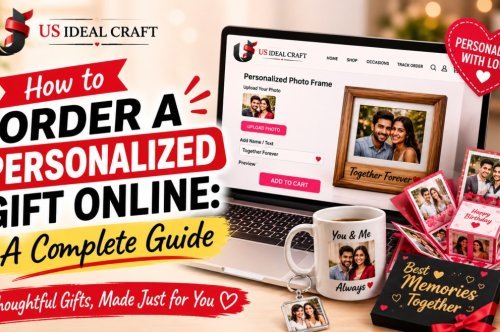
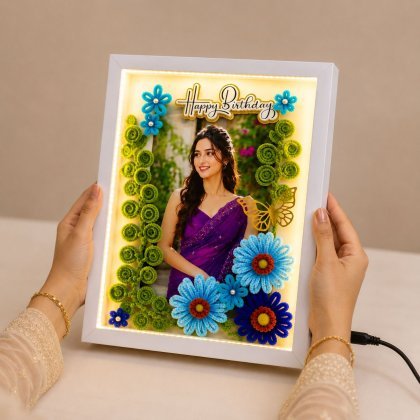
How to Order a Personalized Gift Online: A Complete Step-by-Step Guide
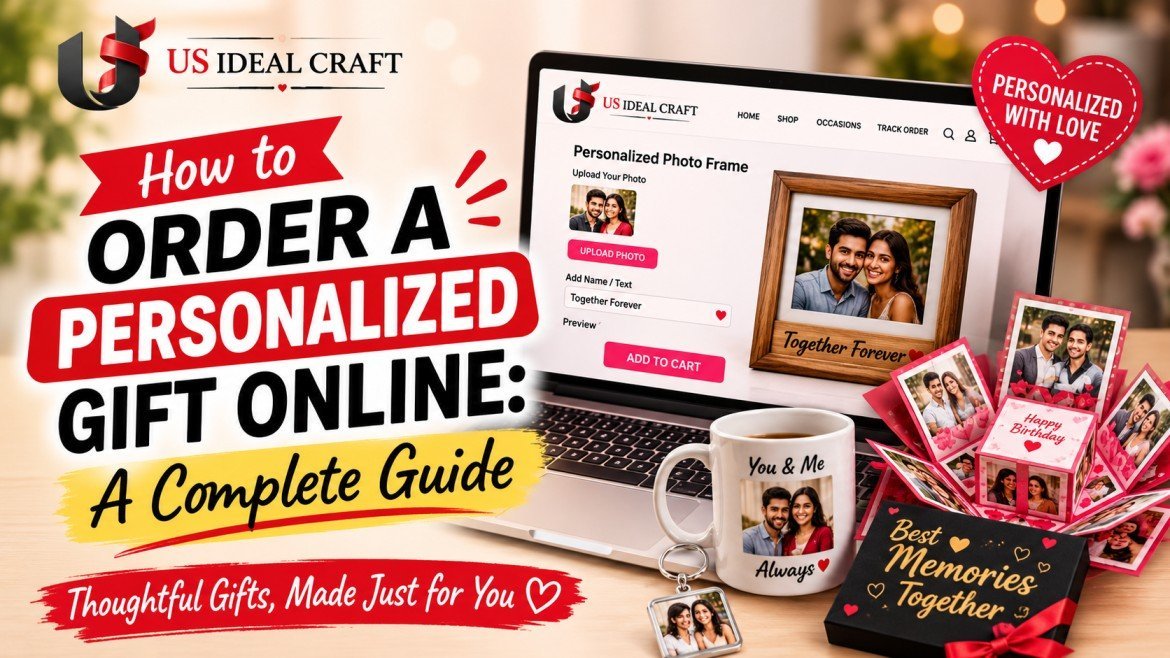
How to Order a Personalized Gift Online: A Complete Step-by-Step Guide
If you’ve never ordered a personalized gift online before, it’s normal to have a few questions. Will the photo look good when printed? What happens if you make a mistake while customizing it? Can you preview the finished design? And, most importantly, will the gift arrive on time?
The good news is that ordering a personalized gift online is usually a simple process. You choose the product, upload your photo or add your message, customize the design, review the preview, complete checkout, and track the delivery.
Whether you’re buying a personalized gift for a birthday, anniversary, wedding, Raksha Bandhan, Diwali, Valentine’s Day, or simply to surprise someone special, this guide explains how to order personalized gifts online from start to finish.
How to Order a Personalized Gift Online
The personalized gift ordering process can vary slightly depending on the product and seller, but most online orders follow these seven basic steps:
- Choose your personalized gift.
- Prepare your photo and personalization details.
- Upload your photo and customize the product.
- Preview the design carefully.
- Choose your delivery option.
- Confirm your details and complete payment.
- Track, receive, and gift your order.
Let’s look at each step in detail.
Step 1: Choose the Right Personalized Gift
The first step is deciding what type of personalized gift is right for the person and occasion.
Instead of choosing a product simply because it looks attractive, think about who the gift is for, what the occasion is, and how you want the recipient to use or display it.
Popular personalized gift options can include:
- Personalized photo frames
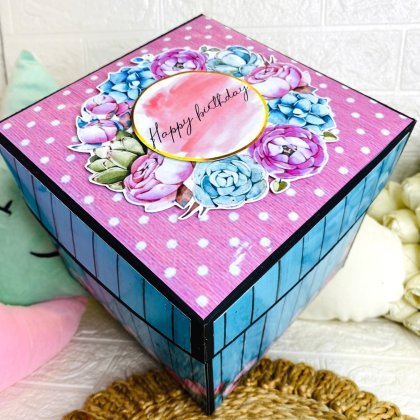
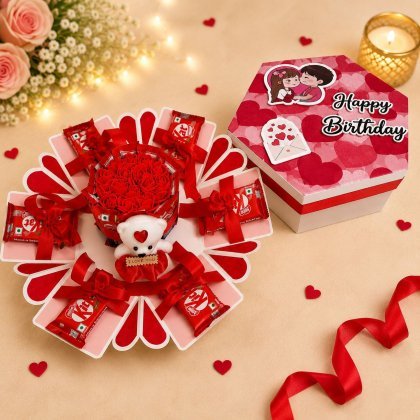
- Explosion boxes
- Scrapbooks
- Photo cubes
- Popup cards
- Personalized mugs
- Photo gifts
- Personalized lamps
- Custom keychains
- Personalized hampers
- Engraved gifts
- Personalized keepsakes
For example, a photo frame may be ideal for a parent or partner, while a scrapbook can work especially well when you have several memories or photographs to share.
For a romantic occasion, you may want something that combines photographs with a personal message. For a birthday, a customized keepsake can turn a favorite memory into something the recipient can keep.
Choose Your Gift Based on the Occasion
Your occasion can make the decision much easier.
For a birthday, consider a gift that highlights a favorite photograph, memory, or personal message.
For an anniversary, couple photos, meaningful dates, and romantic messages can make the gift more personal.
For Raksha Bandhan, a sibling photograph, childhood memory, or personalized message can create a sentimental keepsake.
For Diwali, personalized photo gifts, customized hampers, and decorative keepsakes can make thoughtful choices.
For a wedding, personalized frames, photo collages, and commemorative gifts can celebrate the couple's special day.
The best personalized gift is not necessarily the most expensive one. It is the one that feels appropriate for the person receiving it.
Step 2: Prepare Your Photo and Personalization Details
Once you have selected your product, prepare everything you want to add to the gift.
Depending on the product, you may need:
- One or more photographs
- The recipient’s name
- Your name
- A special date
- A short message
- A quote
- A location
- A meaningful phrase
- Other customization details requested by the seller
Preparing these details before you start customizing can make the ordering process much faster.
What Photo Is Best for a Personalized Gift?
For the best printed result, use an original, clear, high-quality photograph whenever possible.
Avoid using screenshots or heavily compressed images downloaded from social media or messaging apps. Compression can reduce image quality and make photographs appear less sharp when printed.
Before uploading a photograph, check:
- Is the image clear?
- Are the important people or objects visible?
- Is the photo well lit?
- Is the subject in focus?
- Is there enough space around the subject for cropping?
- Are you using the original image rather than a screenshot?
A good-quality source image gives you a better starting point for customization.
Step 3: Upload Your Photo and Customize the Gift
Now comes the part that turns an ordinary product into a personal gift.
Upload your selected photo or photos and follow the customization options provided for the product.
Depending on the design, you may be able to:
- Crop your photograph
- Reposition the image
- Add names
- Add dates
- Enter a personal message
- Select a design or theme
- Choose a layout
- Add multiple photographs
- Select different product options
Take your time when entering personalized information.
If the gift says “Happy Anniversary, Rahul & Priya”, for example, check every name and spelling before moving to checkout.
Personalized products are made specifically for the person receiving them, so small details matter.
Step 4: Preview Your Personalized Gift Before Ordering
This is one of the most important steps in the entire personalized gift ordering process.
If the seller provides a live preview or design proof, use it before placing your order.
Look carefully at the complete design.
What Should You Check Before Ordering a Personalized Gift?
Check the following:
- Photo quality
- Photo cropping
- Face placement
- Image orientation
- Names
- Spelling
- Dates
- Personal messages
- Text placement
- Design layout
- Product size
- Quantity
- Selected product variation
A few extra seconds of checking can help you catch a mistake before production begins.
If the seller provides a design proof rather than an instant preview, review it carefully and request corrections before approving it.
Why Is the Preview So Important?
A photograph can look different when it is placed into a particular product layout.
The preview allows you to see how your photo, text, and design work together before the order moves forward.
If something does not look right, this is the best time to make a correction.
Step 5: Choose Your Delivery Option
After customizing the gift, check the available delivery options.
Delivery time can depend on several factors, including:
- Product type
- Amount of customization
- Production time
- Your delivery location
- Shipping method
- Seller's processing schedule
- Current order volume
- Festival or holiday demand
A simple personalized product may be processed differently from a more complex handmade or multi-layer gift.
Some sellers may offer standard, express, same-day, or next-day delivery for selected products and locations. However, availability can vary, so always check the delivery estimate shown for your particular order.
Ordering a Personalized Gift for a Specific Date
If your gift needs to arrive before a birthday, anniversary, festival, wedding, or another important event, don't rely on a general delivery estimate.
Check the estimated arrival date for the specific product and delivery address before placing the order.
It is also smart to leave some extra time whenever possible.
During busy periods such as Raksha Bandhan, Diwali, Valentine's Day, Christmas, and major gifting seasons, personalized gift orders may increase and processing or shipping schedules can change.
Step 6: Review Your Details and Complete Checkout
Before you pay, carefully review your complete order.
This is especially important if you are sending the personalized gift directly to the recipient.
Check:
- Recipient's full name
- House or flat number
- Street or locality
- City
- State
- PIN code
- Phone number
- Email address
- Product
- Quantity
- Personalization
- Delivery option
- Estimated delivery date
- Payment details
Double-Check the Delivery Address
An incorrect address can cause unnecessary delivery problems.
Pay particular attention to the PIN code, house or flat number, locality, and recipient phone number.
If you are ordering a gift for someone else, make sure the shipping address is the recipient's address rather than your own.
Before clicking the final payment or order button, take one last look at the order summary.
Step 7: Track Your Personalized Gift Order
After placing your order, look for the order confirmation.
Depending on the seller, you may receive confirmation through:
- SMS
- Your customer account
- An order confirmation page
Save your order number or reference number.
Once the gift is shipped, you may also receive tracking information that lets you follow the shipment.
If the gift is needed for a particular date, check the tracking status before the final day rather than waiting until the expected delivery date.
If the tracking information appears delayed or the delivery date changes, contact the seller as soon as possible.
What Happens After You Order a Personalized Gift?
Once you place your order, the process generally looks like this:
Order placed → personalization processed → product customized or produced → quality check → shipment → tracking → delivery
The exact process varies between sellers and products.
Some personalized gifts may require additional production or assembly time because they are created specifically after the order is placed.
That is why it is important to consider both production time and shipping time when ordering a customized gift.
How to Choose the Best Personalized Gift Online
If you are overwhelmed by the number of options available, use three simple questions:
Who Is the Gift For?
Think about your relationship with the recipient.
Is it for:
- Your partner?
- Parent?
- Sibling?
- Friend?
- Child?
- Colleague?
- Family member?
A gift that feels appropriate for a partner may not be the best choice for a colleague.
What Is the Occasion?
The occasion can help determine the style and level of personalization.
Think about whether the gift is for:
- Birthday
- Anniversary
- Wedding
- Raksha Bandhan
- Diwali
- Valentine's Day
- Mother's Day
- Father's Day
- Housewarming
- Baby shower
- Graduation
- Friendship celebration
- Corporate gifting
- A simple surprise
What Is Your Budget?
Personalized gifts are available at different price points.
Instead of choosing the product first and worrying about the price later, decide on a comfortable budget and then compare suitable options.
Remember that personalization, materials, product size, packaging, and delivery options can all affect the final price.
How to Avoid Common Personalized Gift Ordering Mistakes
Even a simple online order can go wrong if you rush through the customization process.
Here are some of the most common mistakes to avoid.
1. Uploading a Low-Quality Photo
A blurry or heavily compressed image may not produce the result you expect.
Whenever possible, use the original photograph.
2. Using the Wrong Photograph
Check that you have selected the correct photograph before submitting your order.
This is particularly important when you have several similar images saved on your phone.
3. Spelling a Name Incorrectly
Names, dates, and messages should be checked carefully.
Don't assume you will be able to correct a mistake after production starts.
4. Ignoring the Preview
If a preview is available, use it.
Check the entire design rather than looking only at the photograph.
5. Entering the Wrong Delivery Address
Verify the recipient's complete address before payment.
6. Ordering Too Close to the Occasion
Personalized gifts can require production time before they are shipped.
If the gift is needed for a specific date, order early enough to accommodate the seller's current estimated delivery schedule.
7. Assuming Express Delivery Is Always Available
Express or same-day delivery may only be available for certain products, locations, or order times.
Always confirm availability during checkout.
8. Forgetting to Check the Final Order Summary
Before paying, make sure the product, quantity, personalization, shipping address, and delivery option are all correct.
How Early Should You Order a Personalized Gift?
There is no single delivery timeframe that applies to every personalized gift.
The safest approach is to check the seller's current product-specific production and delivery estimate and leave additional time if the occasion is important.
You may want to order earlier when:
- The product requires extensive customization.
- Multiple photographs are involved.
- The item is handmade.
- The gift is being delivered to a different city.
- You are ordering several gifts.
- A major festival is approaching.
- You need the gift on an exact date.
For last-minute gifting, look for products that specifically offer express or same-day delivery in your location.
Can You Send a Personalized Gift Directly to the Recipient?
Yes, many online gift sellers allow you to send an order directly to the recipient.
This can be especially convenient when you want to surprise someone or cannot meet them personally.
Before placing the order, confirm:
- The recipient's full delivery address
- Their phone number
- Their PIN code
- Available delivery dates
- Gift-wrapping options
- Gift-message options
If the seller offers gift wrapping or a personal message, these can make the delivery feel even more special.
What If You Make a Mistake After Placing Your Order?
If you notice a mistake after placing your order, contact the seller as soon as possible.
Depending on the seller's production process, it may be possible to correct an error before production begins.
However, once a customized product has entered production or has already been shipped, changes may no longer be possible.
For this reason, the best time to catch mistakes is before you place the order.
Are Personalized Gifts Returnable?
Return and replacement policies can vary significantly between sellers and products.
Because a personalized gift is created specifically for an individual customer, it may be subject to different policies from standard, non-customized products.
Before ordering, check the seller's policy regarding:
- Personalized product returns
- Damaged products
- Incorrect personalization
- Manufacturing defects
- Delivery damage
- Replacement requests
- Cancellation before production
Understanding the policy before payment can prevent confusion later.
Personalized Gift Ordering Checklist
Before you place your order, run through this quick checklist:
-
Choose the right product for the recipient.
-
Confirm the occasion and budget.
-
Select a clear, high-quality photo.
-
Prepare names, dates, and messages.
-
Upload the correct photograph.
-
Check the photo cropping and positioning.
-
Check every spelling and date.
-
Review the personalization preview.
-
Confirm the product and quantity.
-
Check the estimated delivery date.
-
Verify the recipient's complete address.
-
Confirm the PIN code and phone number.
-
Select the appropriate delivery option.
-
Review the final order summary.
-
Complete payment.
-
Save your order number.
-
Track the shipment.
Frequently Asked Questions About Ordering Personalized Gifts Online
How do I order a personalized gift online?
To order a personalized gift online, choose the product you want, upload your photo or enter your personalization details, customize the design, preview the result, select delivery, enter your shipping information, and complete payment. After ordering, save your order number and track the shipment.
What photo is best for a personalized gift?
A clear, high-quality original photograph is generally the best choice. Avoid blurry photos, screenshots, and heavily compressed images whenever possible. Make sure the main subject is clearly visible and has enough space around it for cropping.
Can I preview a personalized gift before ordering it?
Many personalized gift sellers provide a live preview or design proof for selected products. If a preview is available, check the photograph, cropping, names, dates, message, and overall layout before confirming the order.
What happens if I make a mistake in my personalization?
Contact the seller immediately. If the order has not entered production, the seller may be able to make a correction. Once production has started, changes may not be possible.
How long does a personalized gift take to arrive?
Delivery time depends on the product, customization process, seller, destination, and shipping method. Always check the estimated delivery date shown for your specific product and address before ordering.
Can I send a personalized gift directly to someone else?
Yes, many sellers allow you to enter the recipient's address during checkout. Carefully verify the recipient's name, address, PIN code, and phone number before placing the order.
Can I change a personalized gift after placing the order?
It depends on the seller and whether production has started. Contact customer support as quickly as possible if you need to change a photo, name, date, message, or other customization.
Can I order a personalized gift at the last minute?
You may be able to if the seller offers express, same-day, or next-day delivery for the selected product and location. Always confirm the actual delivery date before relying on a last-minute order.
Are personalized gifts returnable?
Return and replacement policies vary by seller and product. Customized items may have different policies from standard products, so check the seller's terms before ordering.
What should I check before submitting a personalized gift order?
Check the photograph, spelling, names, dates, message, preview, product selection, quantity, delivery address, PIN code, phone number, delivery date, and final price. A final review can help prevent avoidable mistakes.
Final Thoughts
Ordering a personalized gift online doesn't have to be complicated.
The key is to slow down at the few steps that matter most: choose the right product, use a good-quality photo, check every personalization detail, review the preview, confirm the delivery estimate, and double-check the recipient's address.
Once your order is confirmed, keep your order number handy and monitor the tracking information until the gift arrives.
Whether you're celebrating a birthday, anniversary, Raksha Bandhan, Diwali, Valentine's Day, a wedding, or simply want to make someone smile, a personalized gift can turn an ordinary present into something much more meaningful.
When you're ready, explore USIdealcraft's personalized gift categories and choose a design that fits the person, occasion, and memory you want to celebrate.